
05 / 05 · For anyone filing Form BE or Form B
Step-by-step Filing Guide
Prepare your figures for MyTax.
Your figures laid out box by box, in the order MyTax asks for them. Each box is marked “Just check” or “You answer”, with the figure to type and a copy button.
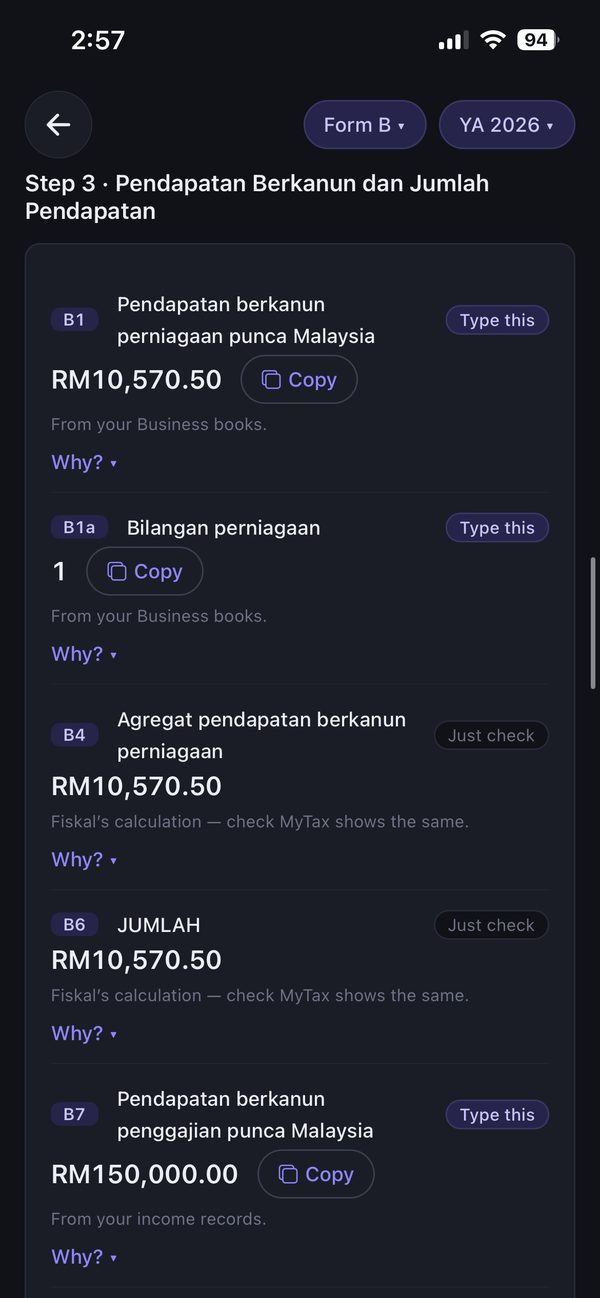
How it works
Three steps, shown in the real app.
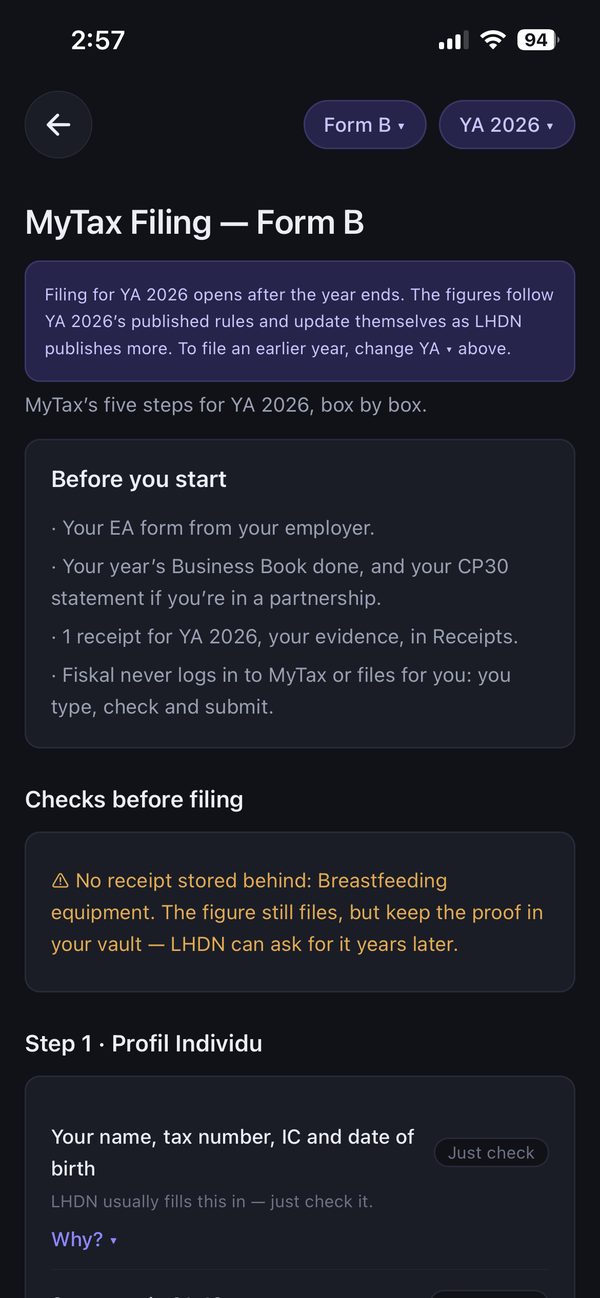
Get ready
What to have ready, and checks before you start — like a relief with no receipt behind it.
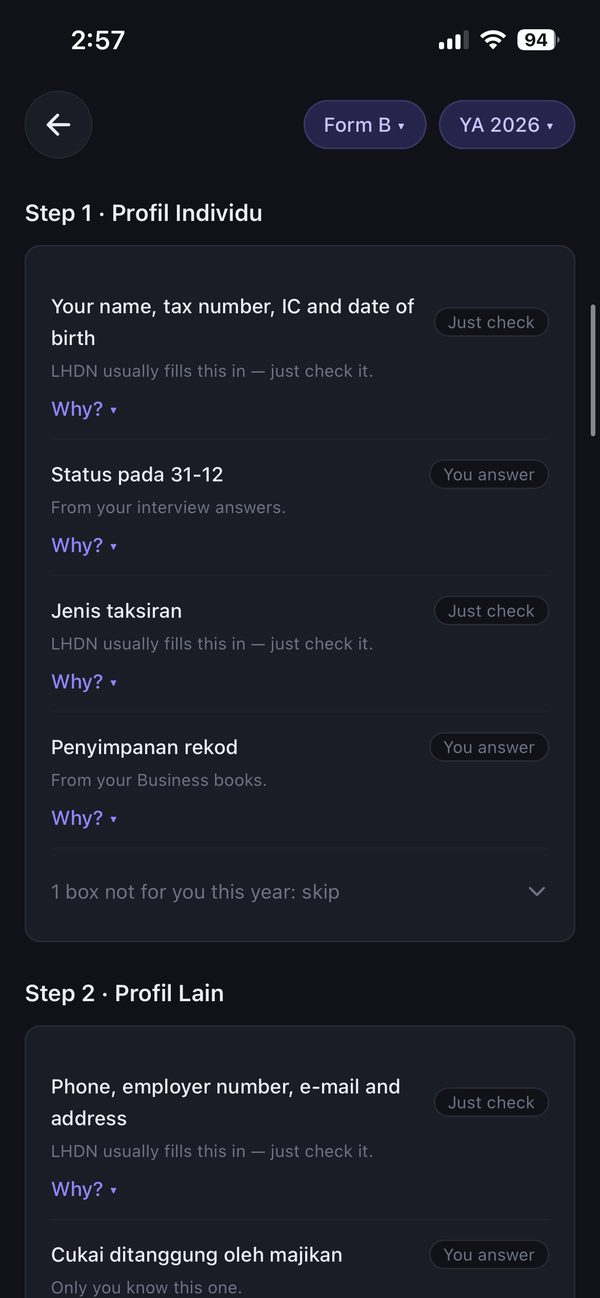
Go box by box
Each box is marked “Just check” or “You answer”, with a “Why?” link when you want to know more.
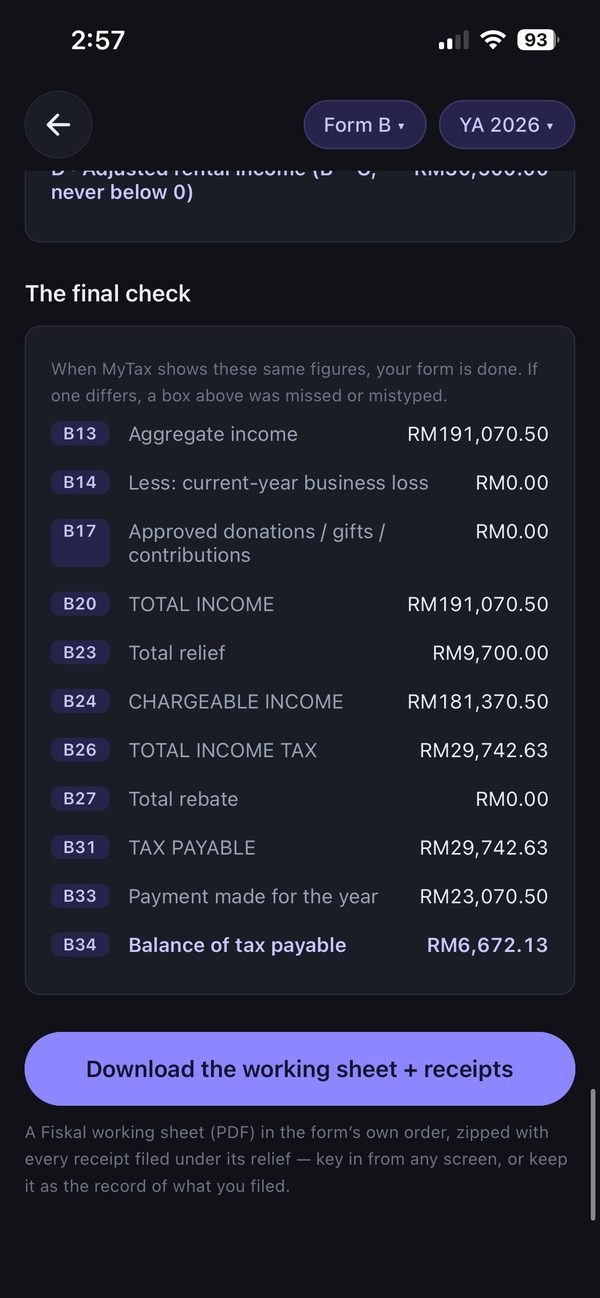
Final check, then download
A last check of your totals, then download the working sheet and your receipts.
What Fiskal does
- Puts every figure in the order MyTax asks for it
- Marks what to just check and what you must answer
- Gives you a copy button for each figure
- Keeps a working sheet as the record of what you filed
What you still do yourself
- Type or paste each figure into MyTax
- Check every figure before you submit
- Submit on MyTax yourself — Fiskal never files for you
On each plan
Free & Standard
- Your tax figure, and how it is worked out.
Pro · RM99.90 / year
- MyTax Filing: every MyTax box prepared for you to file — in the app and beside MyTax at fiskal.my
- Your working sheet kept as the record of what you filed
Download free. Standard and Pro are bought inside the app, on iPhone or Android.
Compare plans in full →Learn more
- Do I need to file taxes in Malaysia — and by when?
- Which way should you prepare your tax?
- What counts as proof? Receipts, statements and the 7-year rule
Make this year’s filing the easy one
Free to start, on iPhone and Android.