
04 / 05 · For anyone paying tax instalments
CP500 Tracker
Understand and track instalments.
Your CP500 instalments kept track of, with reminders — free on every plan. See what’s left to pay and when, and pay on ByrHASiL. On Pro, Fiskal also checks whether your instalments look right.
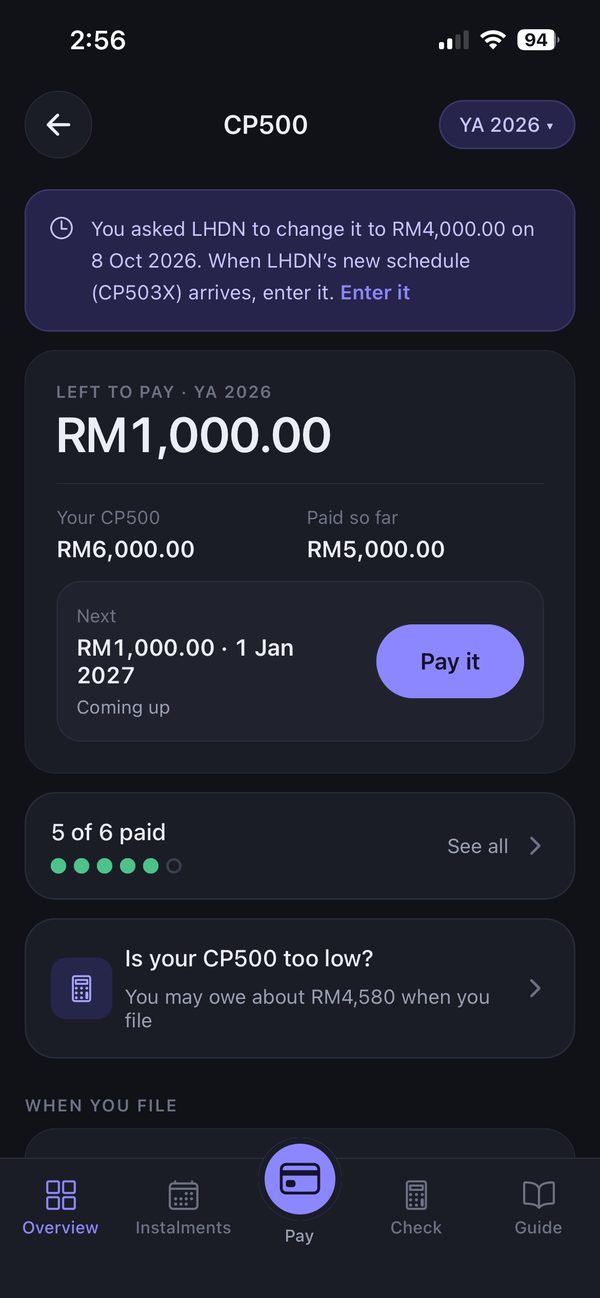
How it works
Three steps, shown in the real app.
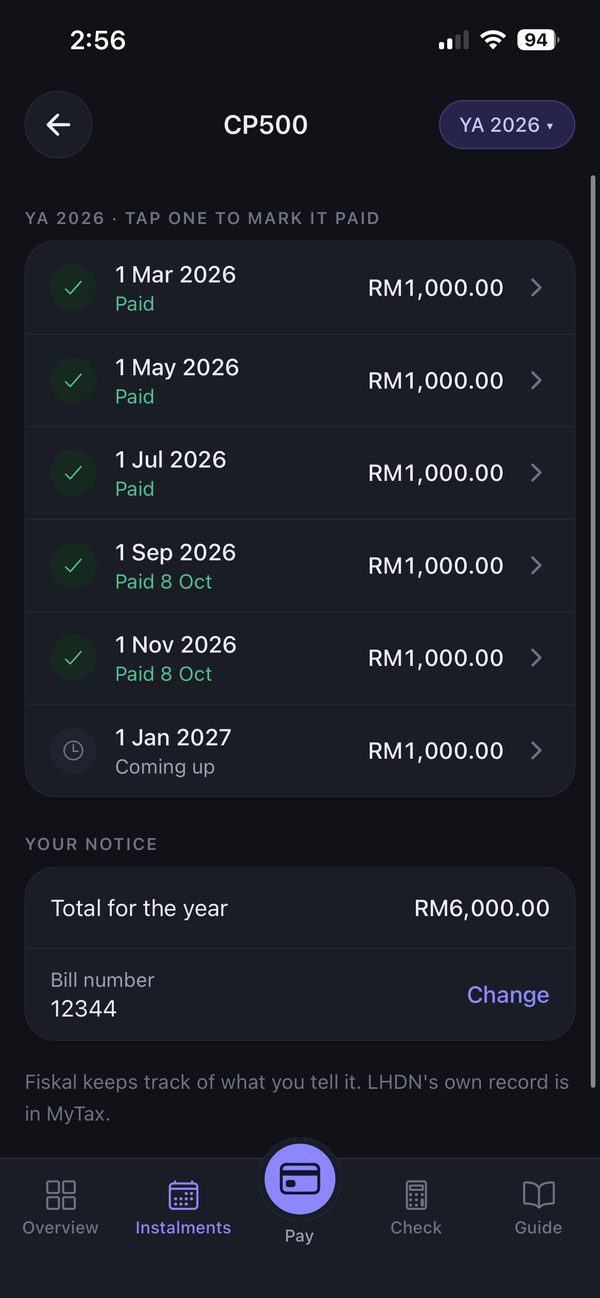
See your schedule
The year’s instalments, the total and your bill number — tap one to mark it paid.
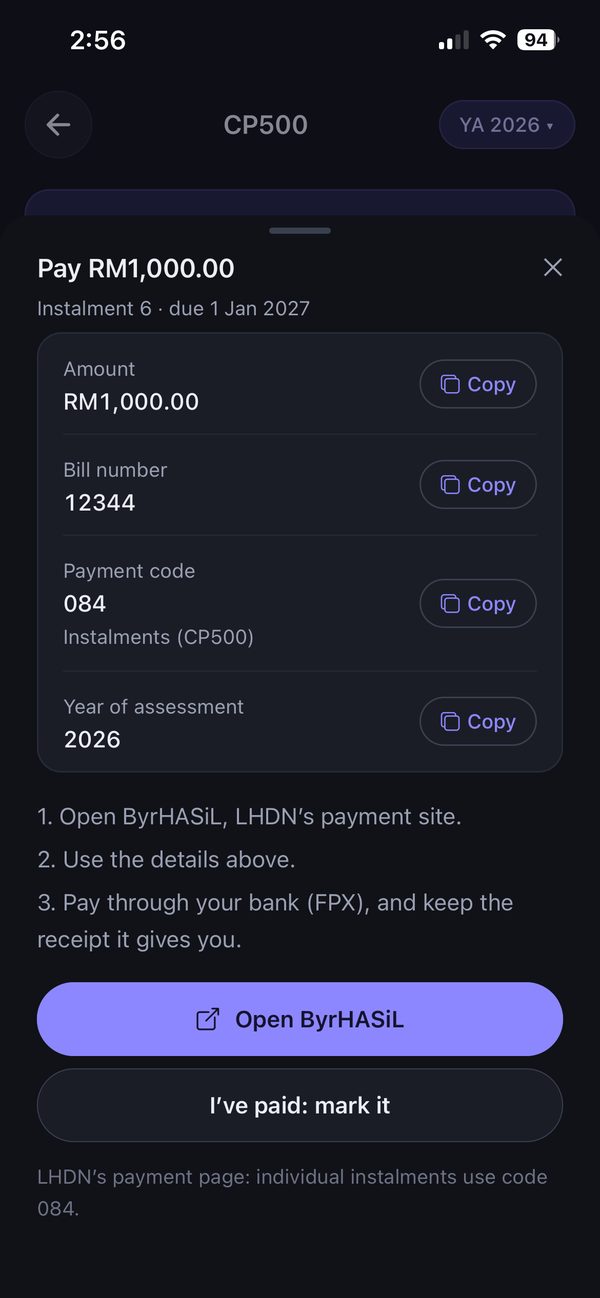
Pay on ByrHASiL
The amount, bill number and payment code ready to copy. Open ByrHASiL, pay, then mark it paid.
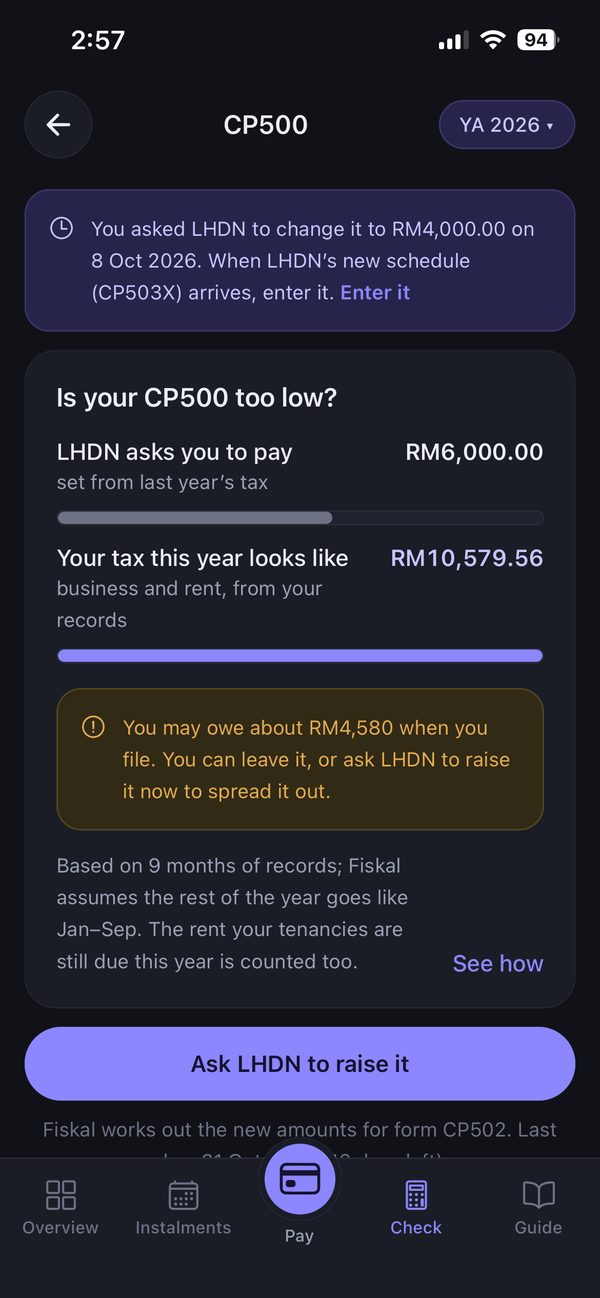
Check it’s right (Pro)
Fiskal compares your CP500 with the tax your records point to — and helps you ask LHDN to change it if it looks too high or too low.
What Fiskal does
- Keeps your instalments and due dates in one place
- Reminds you before each instalment
- Gets the payment details ready to copy
- Explains CP500 in plain words, with its official sources
- On Pro: checks whether your instalments look too high or too low
What you still do yourself
- Pay each instalment on ByrHASiL — Fiskal never takes payments
- Ask LHDN yourself if you want your instalments changed
- Submit your return on MyTax yourself
On each plan
Free, on every plan
- Keeping track: set it up from your notice, the dates, marking payments, how to pay on ByrHASiL, reminders, and the CP500 guide in plain words.
Pro · RM99.90 / year
- CP500: see whether your instalments are too high, with form CP502 worked out for you
Download free. Standard and Pro are bought inside the app, on iPhone or Android.
Compare plans in full →Learn more
- Do I need to file taxes in Malaysia — and by when?
- How much income tax will I pay in Malaysia?
- Which way should you prepare your tax?
Never miss a CP500 instalment
Free to start, on iPhone and Android.